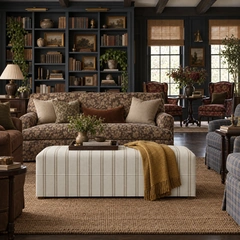
Living room with a floral sofa, striped ottoman and bookshelves, the room the live ALL3D scene was built from

Your products. Anywhere.

ALL3D turns your products into true-to-size 3D models, places them in a scene you can move through, and renders photoreal images from the exact camera you set. That's spatial commerce, and the scene beside you is live.

ALL3D Spatial 3D — live scene

This room is a live 3D scene.

From product photo to finished scene

  1. Green plaid armchair with a cream fringe skirt, photographed on a plain studio background
    01 · Product

    Upload a photo and its dimensions

    ALL3D builds a true-to-size 3D model of the chair.

  2. The plaid armchair placed at true scale in a 3D living room in ALL3D, beside a stump side table and a table lamp
    02 · Scene

    Place it, frame it, light it

    Position the chair in a 3D room and set the camera like a real shoot.

  3. Photoreal render of the same living room from the same camera, with the plaid armchair, stump side table and lamp
    03 · Photo

    Render a photoreal image

    AI renders the scene exactly as you framed it, at the chair's real size.

Definition

What is spatial 3D?

Spatial 3D is ALL3D's way of making product images: your product exists as a 3D model with its real dimensions inside an editable 3D scene, and AI renders that scene into a photoreal image. Size, position and camera angle are measured, not guessed.

Input
Product photos or a 3D model, plus real-world dimensions
Scene
An editable 3D room from an inspiration image or template
Control
Placement, rotation, scale, camera height, angle and focal length
Output
Photoreal images, up to four per render, ready to edit or regenerate
Edit in 3D

Change one thing. Keep everything else.

AI Generated: swap products without rebuilding the scene, beforeEdited in Spatial 3D: swap products without rebuilding the scene, afterAI GeneratedEdited in Spatial 3D

Swap products without rebuilding the scene

Drop in a different product and it lands in exactly the same position, scale and lighting as the original.

How it works

Four steps to a finished shot

  1. Add your product

    Upload photos or a 3D model with real-world dimensions. No model? ALL3D generates one from your photos.

  2. Point at the look

    Choose an inspiration image or template. ALL3D builds an editable 3D room from it.

  3. Generate

    Get up to four base images to review, regenerate or edit.

  4. Adjust and re-render

    Change camera, scale or placement in 3D and render again. The scene stays put.

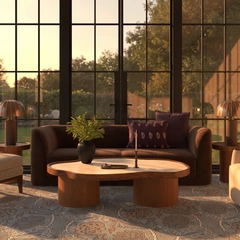
Golden-hour living room rendered in ALL3D: a brown curved sofa and sculpted coffee table in front of tall steel-framed windows
What you control

Direct it like a photo shoot

  • Size and placement

    Resize, move and rotate products, snapped to real surfaces.

  • Camera

    Height, angle, focal length and framing, without rebuilding.

  • Variants

    Render every colorway from the same scene in minutes.

  • No prompt needed

    Show the AI what you want with the scene itself.

Who it's for

For products that have to look right

Furniture and home brands

Show true scale in real rooms across every fabric, finish and configuration.

Ecommerce catalog teams

Consistent lifestyle imagery for hundreds of SKUs from reusable scenes.

Creative agencies

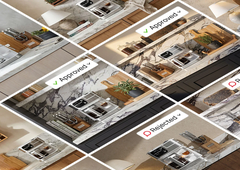
Deliver approved angles and placements without reshoots or re-prompting.

FAQ

Questions about spatial 3D

What is ALL3D?

ALL3D is a spatial 3D platform for product imagery. It turns products into true-to-size 3D models, places them in editable 3D scenes, and renders photoreal lifestyle images from any camera angle you choose.

How is ALL3D different from prompt-based AI image generators?

Prompt-based tools redraw the whole image from text, so product scale, placement and details can change between generations. ALL3D keeps your product and scene in 3D, so those stay fixed and only what you edit changes.

Do I need a 3D model of my product?

No. Upload product photos and ALL3D generates a 3D model, or upload a model you already have. Add the product's real dimensions so it renders at true scale.

How accurate is product scale?

Products are placed at the dimensions you enter, so an 88-inch sofa renders as an 88-inch sofa next to everything else in the room.

Can I reuse a scene for other products or variants?

Yes. Swap in another product or variant and it keeps the same position, scale and lighting, so a whole collection shares one consistent scene.

How much does ALL3D cost?

ALL3D uses credit-based plans starting at $20/month, with a free trial. Enterprise plans with custom pricing are available for large catalogs.

Try it now

Put your product in a real 3D scene

Start with a free trial, or book a walkthrough with our team.